Better Shadows Shader
- 30-06-2026, 00:08
- 104
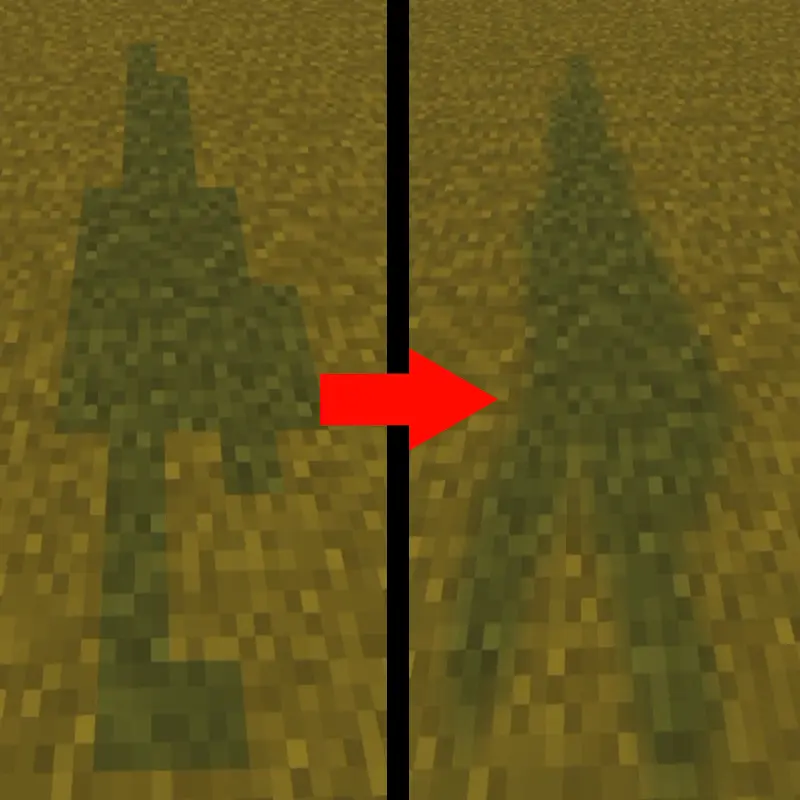
The Better Shadows shader fixes blocky lighting in Minecraft Bedrock. It smooths out harsh edges, giving your world realistic depth and a better atmosphere. Just remember you need Vibrant Visuals active for it to work.
Let's be real, the default shadows in this game look pretty terrible. Everything has hard, pixelated edges that ruin the vibe of decent builds. If you want a quick fix, the Better Shadows shader does exactly what the name implies. It completely overhauls how the game handles dark areas and sunlight dropping behind trees.
You don't need a heavy, laggy ray-tracing setup to run this either. It mainly focuses on smoothing things out so the lighting looks like actual butter. Here is what you get when you load it up:
Smooth transitions between light and dark spots instead of rigid blocks.
Way more depth inside deep caves and dense forests.
A natural atmosphere that makes survival gameplay feel genuinely immersive.
There is one major catch to getting this running properly. This file acts as a supporting add-on, meaning it cannot run by itself. You absolutely must have the Vibrant Visuals pack enabled in your global resources first.
Once you have both files ready, jump into your settings. Put the shadows pack directly above the main visuals pack in your active load order. That simple step guarantees the new smooth lighting renders correctly over the base graphics. Boot up your map, and you will instantly notice the difference. It is an easy graphics fix for players wanting solid Bedrock lighting.
How to install?
- Download resource pack;
- Run and open the .mcpack file in the game;
- Select a texture in the menu;
- Enjoy!
Comments (0)