Actual Security Cameras Addon
- 5-10-2026, 05:55
- 676

Most security add-ons in Bedrock just place a static block that does nothing, or they rely on clunky command block teleports. *Actual Security Cameras* delivers a genuinely functional, real-time surveillance network. You can mount dyeable, wood-cased cameras around your base and tap into live feeds from a central PC monitor. The tactical utility is massive: you can pan the lenses 45 degrees, use your hotbar to zoom, lock specific feeds behind private permissions, and even view interdimensional cameras. Being able to safely check your Nether portal hub or End mob grinder from the comfort of your Overworld base completely changes how you manage late-game infrastructure.
The technical infrastructure is where this project completely breaks the mold for Bedrock modifications. Unlike almost every other custom mechanic pack, this add-on does not inject a modified `player.json` file. Because of this incredibly clean coding approach, Xbox Live achievements remain 100% enabled. You can build a high-tech surveillance network on your main survival save without sacrificing your Gamerscore. Furthermore, you do not need to dive into your world settings to enable any Experimental Gameplay toggles or Beta APIs. You simply import the behavior and resource packs natively.


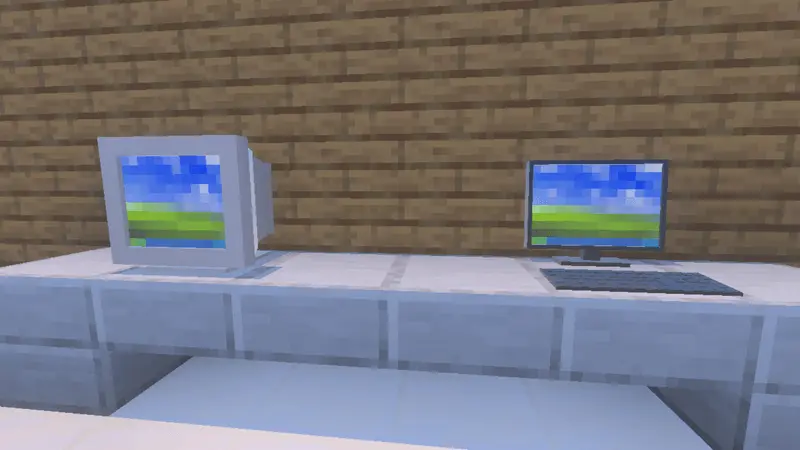

Rendering a live camera feed—especially across dimensions or hundreds of blocks away—is a demanding task because it forces the game engine to instantly load and process entirely different chunks. Modern desktop PCs and current-gen consoles will handle the rapid perspective swaps and 45-degree panning seamlessly. However, players on older budget smartphones and low-end tablets need to be cautious. Rapidly switching between multiple distant camera feeds from your monitor can outpace a mobile processor's ability to generate those chunks, resulting in severe screen freezing, delayed texture pop-in, or input lag. Additionally, running the required "Vibrant Visuals" setting on a weaker handheld device will significantly increase the graphical load, quickly leading to thermal throttling. Keep your camera network localized and limit rapid feed switching if you are playing on a phone.
Installation:
— Download McPack
— Install McAddon or McPack files, just open it for this;
— Select new textures in the settings;
— Done.
Comments (0)